Comoji vs Mojito
Comoji adds free Slack-style :emoji: autocomplete to every app on your Mac.
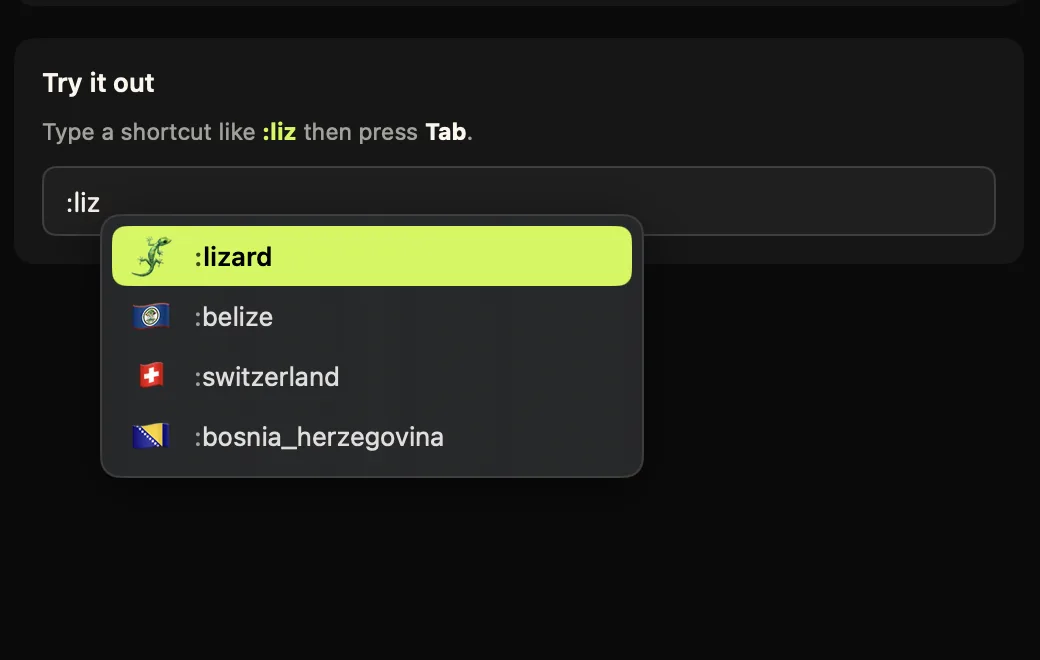
Mojito is a newer, free Mac app in the same space as Comoji: a menu bar utility that gives you Slack-style colon :emoji: autocomplete in any text field. If you are weighing the two, the honest summary is that they agree on the core idea (type a colon token, get a popover next to the caret, insert without reaching for the mouse) and differ on scope, on how each one handles GIFs, and on how you are meant to trust them.
Both are genuinely free. Mojito is open source and takes donations; Comoji is closed source with every feature free and an optional $1.99 Supporter license to remove promotions.
One caveat, stated up front: Mojito is young, and it publishes less about its requirements than an older app would. Where its site does not say, this page says so rather than guessing.
Feature comparison
| Feature | Comoji | Mojito |
|---|---|---|
| Slack- & Discord-style colon emoji autocomplete | Yes | Yes |
| Works system-wide (Messages, Mail, etc.) | Yes | Yes |
| Full emoji set with aliases | 1,870 | Full set |
| Fuzzy / typo-tolerant search | Yes | Yes |
| Interface localization | No | 19 locales (shortcodes in 14) |
| Minimum macOS version | 13 Ventura | 14 Sonoma |
| Skin-tone selection | Yes | Varies |
| Recent-use ranking | Yes | Yes |
| Custom trigger key | Yes | Varies |
| Per-app & per-site disable list you edit | Yes | Automatic |
| GIF search | /gif anywhere | ::: anywhere |
| System-wide sticker picker | Yes | No |
| Source code you can read | No | AGPL-3.0 |
| Published network surface + verification steps | Yes | Varies |
| Price | Free | Free |
How Mojito actually works
You type : followed by a search term and Mojito shows matches inline. The search is fuzzy and typo-tolerant, so :sh finds 🤷 without you remembering the exact shortcode, it covers symbols as well as emoji, and it ranks what you use most to the top. The interface itself is localized into 19 locales, and emoji shortcodes are translated in 14 of those, so :gato: works if you search in Spanish. There is a keyboard-first selection model and no separate window. It also stands down in apps and on sites that already do shortcode emoji themselves, so you do not get two pickers fighting over the same colon.
GIFs work through a second trigger: type ::: and a search term and Mojito queries Giphy. That is on by default and can be turned off in its settings. Comoji is the same on substance (GIF search is a Giphy query), but uses an explicit system-wide /gif command instead. Both apps send your GIF search terms to Giphy; neither sends your ordinary typing anywhere.
Comoji adds a few things on top of the shared core: a system-wide /sticker picker for animated stickers, a configurable trigger key if : is wrong for you, per-app and per-site disable lists you edit yourself, exact-match auto-replace when you close the token with a second colon, and a searchable browser for the whole set.
Pricing, permissions and coverage
Pricing
- Comoji
- Free, and free in the plain sense: all features included, no account, no trial clock. Optional Supporter is $1.99 once to remove promotions. The download is a signed and notarized DMG.
- Mojito
- Free, and open source under AGPL-3.0. Donationware: the developer accepts donations, but there is no paid tier, no trial and no upsell. Note that the Giphy-backed GIF search is on by default, so "free" includes a third-party service you may want to switch off.
Permissions it asks for
- Comoji
- Accessibility and Input Monitoring. Input Monitoring lets Comoji notice that you typed
:fire; Accessibility lets it find the focused field and caret so the popup lands in the right place, and type the emoji back. Secure password fields are ignored. Those are the two most invasive permissions macOS has, so /security lists every host the app can contact and gives you the Terminal commands to check the claim yourself. - Mojito
- Not published. Mojito's site does not list the permissions it needs. Any app that notices a colon token in another app's text field needs Accessibility at minimum, and typically Input Monitoring too, so expect the same prompts Comoji shows. The honest advantage here is the licence rather than the prompt count: because Mojito is AGPL-3.0, you can read the source and see exactly what it does with the access it gets. Comoji answers the same question a different way, by publishing every host it can contact and the commands to verify it.
Platforms
- Comoji
- macOS 13 Ventura or later, Apple silicon and Intel. Mac only: there is no iPhone, iPad or Windows version, and nothing syncs between machines.
- Mojito
- macOS 14 Sonoma or later, native on Apple silicon and Intel, distributed from its own site. Comoji supports the older macOS 13 Ventura too, so it runs on Macs Mojito does not.
Apps and fields it works in
- Comoji
- Any standard text field: Messages, Mail, Notes, Slack, browsers, and most editors. A per-app disable list turns it off in named apps, and a per-site list turns it off on domains like
github.com(subdomains included) where the site already has its own:emoji:handling. - Mojito
- System-wide in ordinary text fields (editors, Mail, browsers, Notes) with automatic stand-down in apps and sites that already handle shortcodes natively. The stand-down list is Mojito's call rather than yours, which is less work to set up and less control if you disagree with it.
Mojito facts checked on against the sources below. Third-party apps change their pricing and features, so treat the vendor’s own site as the last word.
Open source vs a published network surface
These apps ask for the two most invasive permissions macOS has, so "why should I trust this?" is the real question behind the feature table, and the two answer it differently.
Mojito is AGPL-3.0: the source is the answer. If you read code, that is the strongest form of assurance available, and it is a legitimate reason to pick it over anything closed source, including us.
Comoji is closed source, so it answers with evidence instead of source: /security publishes the complete list of hosts the app can reach and what each one is for, the same list the app itself shows in Preferences › Privacy, and a step-by-step post walks through the read-only Terminal commands to confirm it on your own machine while you type. That is weaker than reading the code and stronger than "trust us", and it is the trade we make.
Which one should you pick?
Pick Mojito if…
- You want source code you can read, or you specifically want AGPL-licensed software.
- You search for emoji in a language other than English.
- You prefer Mojito’s
:::GIF trigger to Comoji’s/gifcommand. - You prefer an app that decides where to stand down for you, with nothing to configure.
- You do not need stickers, a custom trigger key, or lists you maintain yourself.
Pick Comoji if…
- You want system-wide
/gifand/stickerpickers. - You want to choose the trigger key, and the exact apps and sites where autocomplete goes quiet.
- You want exact-match auto-replace: finish
:fire:and the emoji lands without picking from a list. - You want the network surface published and independently checkable rather than inferred.
- You are on macOS 13 Ventura and not ready to upgrade: Mojito requires macOS 14 Sonoma or later.
The verdict
Choose Mojito if you want an open-source, multilingual picker with GIF search on the same trigger, and the core colon autocomplete is most of what you need.
Choose Comoji if Messages is where you live and you want stickers and GIFs there, a configurable trigger key, per-app and per-site controls you own, and a published, verifiable account of what the app does on the network. Both are free, so the honest advice is to try the one whose description above sounds more like you. macOS 13 Ventura or later.
Frequently asked questions
Is Mojito or Comoji better if I search for emoji in a language other than English?
Mojito, if your language is one of the 14 it localizes shortcodes into (:gato: in Spanish, for example). Comoji's shortcodes are English only. If multilingual shortcode search matters more to you than stickers or a custom trigger key, Mojito is the better fit.
Does Mojito run on the same Macs as Comoji?
Not quite. Mojito requires macOS 14 Sonoma or later. Comoji supports the older macOS 13 Ventura too, so it is the option if you have not upgraded yet.
Which one is more trustworthy with an Accessibility and Input Monitoring grant?
They answer that question differently rather than one being more trustworthy. Mojito is AGPL-3.0, so you can read exactly what the source does with the access it gets, the strongest form of assurance if you read code. Comoji is closed source but publishes every host it can contact at /security plus the Terminal commands to verify it yourself. Reading the code beats reading a list; a published list still beats a vendor's word alone.
Try Comoji
macOS 13 Ventura or later · Free · Signed & notarized · No account.