Comoji vs Rocket
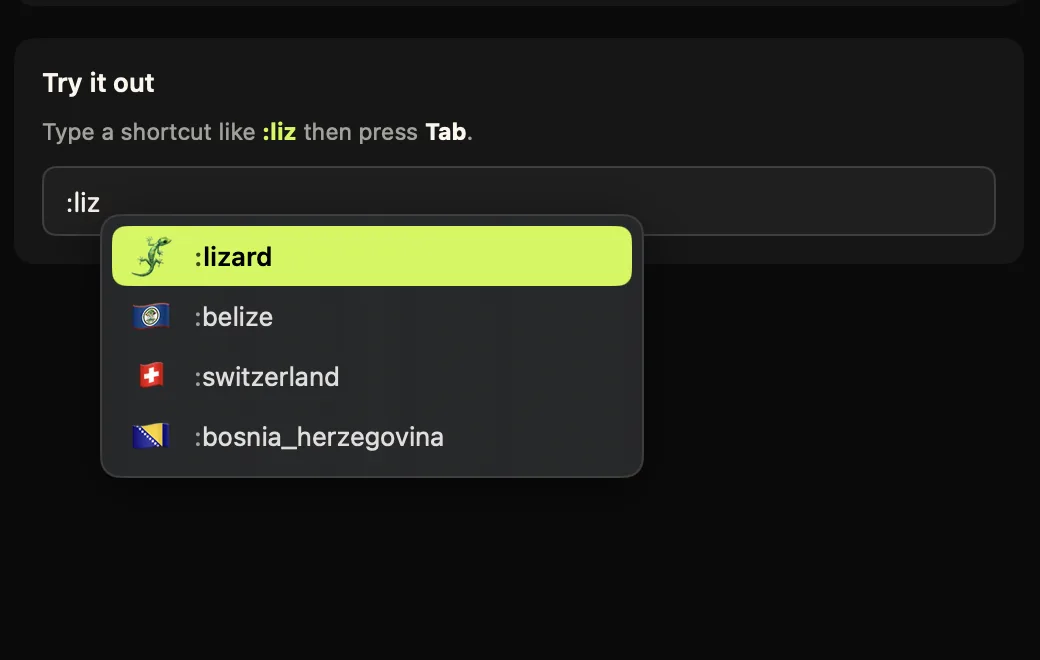
Comoji adds free Slack-style :emoji: autocomplete to every app on your Mac.
Rocket is a long-standing, well-regarded Mac app that brought Slack- and Discord-style colon emoji typing to the whole system, and it is a big reason this category exists. If you are comparing the two, the honest summary is that they overlap a lot: both give you :emoji: autocomplete in apps like Messages and Mail, both are free to start, and both run on your Mac rather than in a browser tab.
The differences come down to focus, price shape, and how much access each app asks your Mac for. Rocket has grown into a broader text tool, with GIFs, images and snippets behind a one-time Pro upgrade. Comoji stays narrowly focused on fast emoji autocomplete plus system-wide /gif and /sticker pickers, and is free.
Everything below is specific on purpose: real prices, the exact permissions each app asks for, what runs where, and how each one behaves while you type. Facts about Rocket were checked against its own site on the date shown further down, with the sources listed.
Feature comparison
| Feature | Comoji | Rocket |
|---|---|---|
| Slack- & Discord-style colon emoji autocomplete | Yes | Yes |
| Works system-wide (Messages, Mail, etc.) | Yes | Yes |
| Skin-tone selection | Yes | Yes |
| Recent-use ranking | Yes | Yes |
| Exact-match auto-replace on closing colon | Yes | Varies |
| Per-app disable list | Yes | Yes |
| Per-site disable list you control | Yes | Built-in list |
| GIF search | System-wide | Pro |
| System-wide sticker picker | Yes | No |
| Text snippets / expansions | Custom aliases | Pro |
| Needs Automation access to your browser | No | Yes |
| Price | Free | Free · Pro $10 once |
How Rocket actually works
Rocket watches for a trigger key followed by the beginning of an emoji name. The default is :, and its help page also suggests ( or + if a colon collides with how you type. Once the popup is showing, you keep typing to narrow the list and press Return or Tab to insert. Nothing opens in a separate window: like Comoji, the completion happens in the field you are already in.
Two behaviours are worth knowing before you install it. Rocket disables itself on sites that already have their own emoji autocomplete, such as Slack, GitHub and Trello, and to know which site you are on it asks your browser for the current URL over AppleScript. It also looks at which browsers you have installed. That is a reasonable design and Rocket documents it plainly, but it means an extra Automation prompt at setup.
Comoji solves the same problem differently: the per-site disable list reads the active page through the Accessibility permission it already holds, so there is no separate Automation grant and no AppleScript conversation with your browser. You also choose the sites yourself rather than inheriting a built-in list.
Pricing, permissions and coverage
Pricing
- Comoji
- Free, and free in the plain sense: all features included, no account, no trial clock. Optional Supporter is $1.99 once to remove promotions. The download is a signed and notarized DMG.
- Rocket
- Free, with a one-time $10 Rocket Pro upgrade, a purchase, not a subscription. The free app covers the emoji picker, the full emoji set, skin tones and themes. Pro adds GIFs and images, custom emoji shortcuts, text-expansion snippets with date and time variables, a search-and-browse window, and emoji statistics.
Permissions it asks for
- Comoji
- Accessibility and Input Monitoring. Input Monitoring lets Comoji notice that you typed
:fire; Accessibility lets it find the focused field and caret so the popup lands in the right place, and type the emoji back. Secure password fields are ignored. Those are the two most invasive permissions macOS has, so /security lists every host the app can contact and gives you the Terminal commands to check the claim yourself. - Rocket
- Accessibility, which its help page describes as mandatory: without it macOS stops delivering the keyboard events Rocket needs. On top of that it asks for Automation access to your browsers (to read the current page URL so it can stand down on Slack, GitHub and Trello), Finder access to see which browsers you have, and System Events if you enable launch at login. Rocket states it does not collect, store or transmit anything else.
Platforms
- Comoji
- macOS 13 Ventura or later, Apple silicon and Intel. Mac only: there is no iPhone, iPad or Windows version, and nothing syncs between machines.
- Rocket
- Mac only. Rocket does not publish a minimum macOS version on its site; its help page references behaviour "starting from macOS Mojave", so assume a recent Mac is fine and check before installing on an old one.
Apps and fields it works in
- Comoji
- Any standard text field: Messages, Mail, Notes, Slack, browsers, and most editors. A per-app disable list turns it off in named apps, and a per-site list turns it off on domains like
github.com(subdomains included) where the site already has its own:emoji:handling. - Rocket
- System-wide in the same way, with a per-app picker for turning it off in apps where a colon means something else (its docs use Visual Studio Code and IntelliJ as the examples), plus the automatic stand-down on emoji-aware websites described above.
Rocket facts checked on against the sources below. Third-party apps change their pricing and features, so treat the vendor’s own site as the last word.
What each one is trying to be
Rocket Pro is, in effect, a small text-expansion suite that started with emoji. If you want one purchase that covers emoji, GIFs, images and reusable snippets with variables, that is a coherent bundle and $10 once is a fair price for it.
Comoji deliberately does not go there. The scope is emoji everywhere, plus the two things Messages specifically needs: a /sticker picker and a /gif picker. Custom aliases cover the "I want :shrug: to mean something of mine" case, but there is no snippet system and no variables. If snippets are the reason you are shopping, we would rather you knew that now than after the download.
Which one should you pick?
Pick Rocket if…
- You want text-expansion snippets and a saved library of your own images from the same app that does your emoji, and $10 once is a good trade for that.
- You like snippet variables (dates, times) and a browse-and-search window for the whole set.
- You want the app that has been around the longest in this category, with the track record to match.
- You are comfortable granting Automation access to your browsers so it can stand down on Slack and GitHub automatically.
Pick Comoji if…
- You want everything free, with no upgrade path to think about.
- You want explicit system-wide
/gifand/stickerpickers, not a general GIF store. - You would rather grant fewer permissions: no Automation prompt, no AppleScript to your browser, and a published list of every host the app can reach.
- You want to choose the sites where autocomplete stands down instead of inheriting a built-in list.
The verdict
Choose Rocket if you want a text-expansion snippet toolkit alongside emoji in one mature app, and the one-time Pro upgrade suits you better than a narrower free tool. If GIFs are the draw, Comoji already does them for free with /gif.
Choose Comoji if you want a tiny, free, single-purpose emoji autocomplete that stays out of the way: the full emoji set with Slack and Discord aliases, skin tones, recent-use ranking, exact-match auto-replace, per-app and per-site controls, and stickers and GIFs where you actually send them. macOS 13 Ventura or later.
Frequently asked questions
Is Rocket or Comoji better for GIFs?
Rocket puts GIFs and images behind the one-time $10 Pro upgrade, with a browse-and-search window across your saved set. Comoji's /gif command is free and system-wide, searching Giphy directly at your cursor. If you want a personal library of custom GIFs and images alongside emoji, Rocket Pro covers more ground; if you just want to search and drop a GIF into Messages without paying, Comoji does that for free.
Does Rocket ask for more permissions than Comoji?
Yes, more of them, though not more invasive ones. Both need Accessibility. Comoji additionally needs Input Monitoring to notice a colon shortcut. Rocket additionally needs Automation access to your browsers (to read the current URL so it can stand down on Slack and GitHub), Finder access (to detect which browsers you have), and System Events if you enable launch at login.
Can I run Rocket and Comoji at the same time?
You can install both, but you should not enable both for the same trigger key: they would compete to intercept the same : shortcut in every app, which is confusing and redundant. Pick one for everyday colon autocomplete rather than running both side by side.
Try Comoji
macOS 13 Ventura or later · Free · Signed & notarized · No account.