Comoji 1.3.0 Now Speaks Eight Languages
Comoji adds free Slack-style :emoji: autocomplete to every app on your Mac.
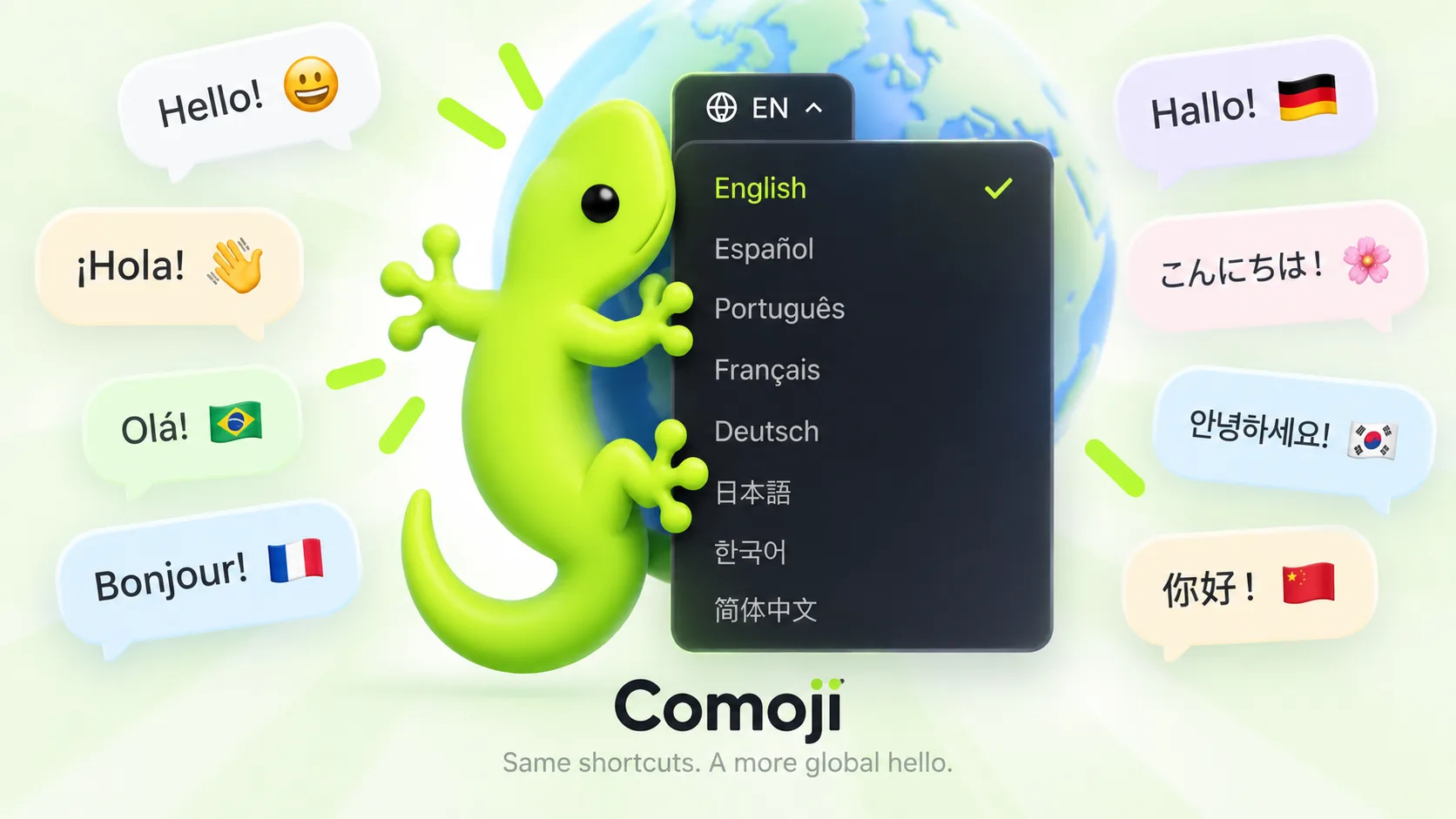
Comoji 1.3.0 is out, and for the first time it does not assume you read English. The menu bar menu, Preferences, the setup guide, the emoji browser, and the sticker and GIF pickers now appear in Spanish, Portuguese, French, German, Japanese, Korean, or Simplified Chinese, whichever your Mac already uses. With English, that makes eight.
There is nothing to turn on. Update, and Comoji picks up the language from your system settings the next time it launches.
Which languages are included?
- English
- Español (Spanish)
- Português (Portuguese, with Brazilian wording, used on Macs set to either Brazilian or European Portuguese)
- Français (French)
- Deutsch (German)
- 日本語 (Japanese)
- 한국어 (Korean)
- 简体中文 (Simplified Chinese)
If your Mac is set to a language Comoji does not have yet, it falls back to English, the same way it behaved before this release.
What is translated
Everything you read inside the app: menu items and alerts, every Preferences pane, the permission explanations during setup, the emoji browser’s category names, the empty and error messages in the sticker and GIF pickers, and the Secure Input Is On notice. Links from the app to comoji.io, such as the Supporter page or the security page, open in your language too.
What stays the same in every language
Your shortcodes. :fire:, :thumbsup:, and :lizard: work exactly as before, whatever language your Mac is set to. They are the same codes Slack, GitHub, and Discord use, and muscle memory should travel with you from one app to the next. Emoji search matches those same English names and keywords for now, and any custom aliases you have set up keep working untouched.
A few names stay as they are on purpose: Comoji itself, the Supporter plan, and the “Powered by GIPHY” mark that GIPHY asks every app to show. And nothing about how Comoji handles your typing has changed. The language is read from your Mac’s own settings, and choosing one sends nothing anywhere.
How to get 1.3.0
If Keep Comoji up to date is on, the update finds you: a small arrow appears on the menu bar icon, and the top of the menu offers Update to v1.3.0. Otherwise, choose Check for Updates… from the Comoji menu. New here? The install guide walks through the download and the two macOS permissions.
Running Comoji in a different language than your Mac
Comoji follows the language order in System Settings › General › Language & Region. To give Comoji its own language while the rest of the Mac stays put:
- Open System Settings › General › Language & Region.
- Under Applications, click + and choose Comoji.
- Pick the language you want Comoji to use.
- Quit Comoji from its menu bar menu, then open it again.
The website speaks them too
comoji.io has been translated alongside the app: every page, including the blog and the comparison pages, now exists in all eight languages. Use the language menu at the top of any page to switch. If your browser prefers one of them, your first visit opens that version automatically.
Spot a clumsy word?
These translations were written for this release and checked for consistency across the app and the site, but a native speaker will always notice something a checklist misses. If a label reads oddly or gets cut off, tell me in the Comoji Discord, ideally with a screenshot. Fixes ship in regular updates.
Frequently asked questions
Which languages does Comoji support?
Since version 1.3.0, Comoji is available in English, Spanish, Portuguese, French, German, Japanese, Korean, and Simplified Chinese. It uses your Mac’s system language automatically and falls back to English for any other language.
How do I change Comoji’s language?
Comoji follows the language order in System Settings › General › Language & Region. To use a different language for Comoji only, add Comoji under Applications in that pane, pick a language, then quit and reopen Comoji.
Do emoji shortcodes change when Comoji runs in another language?
No. Shortcodes such as :fire: and :thumbsup: are the same in every language, matching the codes used by Slack, GitHub, and Discord. Your custom aliases keep working too.
Do I have to pay for the translated versions of Comoji?
No. Every language is included in the free app. The optional $1.99 Supporter license only removes the house promotions from the pickers.
Download Comoji free for Mac
Slack- and Discord-style :emoji: autocomplete, everywhere on your Mac. Free.